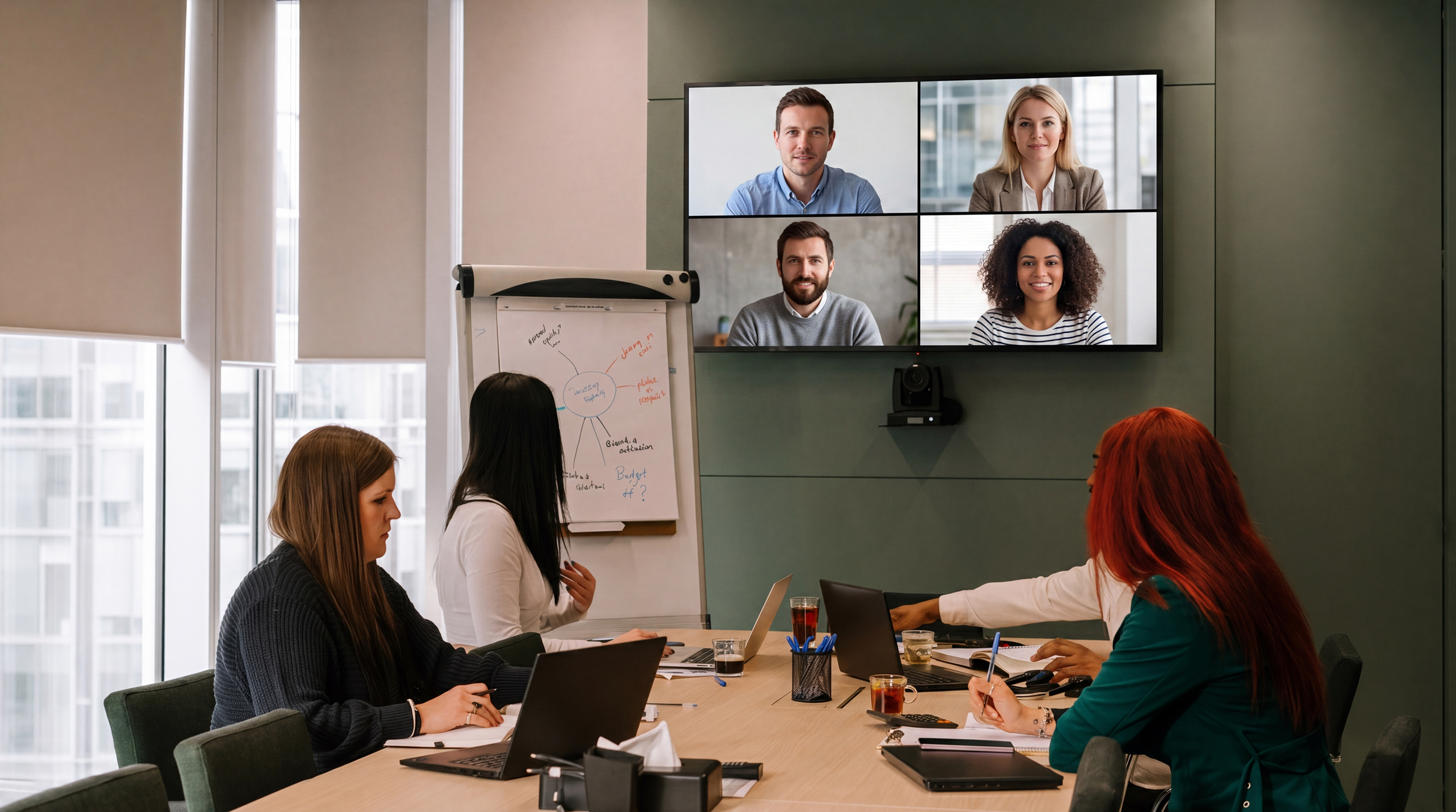
Short answer: Most AI meeting assistants handle either digital meetings (everyone on their own device) or in-person meetings (one recording in the room), but not the combination. In hybrid meetings, everyone in the conference room becomes a single "speaker" in the transcript, usually the person who connected the laptop. Flowmeets separates the voices in the room, attributes remote participants through their own audio channels, and identifies external participants too. Without storing voice profiles or any other biometric data, with all data processed inside the EU.
Below: why the problem is so hard, how Gong, Otter and Fellow handle it today, and what it takes to actually solve it.
A hybrid meeting is one where some participants sit together in a physical room while others join remotely by video. On hybrid workplaces it is now the most common meeting format, and the hardest one for AI meeting assistants to transcribe correctly.
The reason is technical. Remote participants arrive as separate, clean audio channels with names attached. But everyone in the conference room shares one microphone. To the meeting platform, the room is one participant. Separating several voices from a single audio stream after the fact (speaker diarization) and then putting the right name on each voice is one of the hardest problems in speech recognition.
The consequence: the most important lines in the meeting get attributed to the wrong person, or to no one. A customer meeting where the prospect's objections are logged under the sales rep's name. A panel interview where three interviewers merge into one voice. A QBR where the customer's feedback disappears into "Speaker 1".
Gong separates in-room speakers only on Zoom Native calls, and even then without names. Speakers get the room name plus an index, to be corrected manually afterwards. On Teams or Meet, the entire room becomes a single talk track. Gong's own recommended workaround for hybrid meetings is that everyone in the room joins from their own device. In other words: turn your hybrid meeting into a digital one.
Otter offers both mobile recording for in-person meetings and a bot for digital ones, but as two separate modes. The actual combination, room plus remote in the same meeting with correct attribution throughout, is not addressed.
Fellow deserves credit as the only major player with a genuine hybrid architecture: the system attempts to distinguish voices sharing a microphone. But by their own documentation, accuracy drops with background noise and crosstalk, unidentified voices get labels like "Conference Room A", and automatic naming relies on stored voice profiles that only work for users inside your own organization. External participants are not identified.
That last point is the crux. In a customer meeting, an interview or a QBR, it is the external party's words that carry the value. A tool that only identifies your own team has solved the wrong half of the problem.
Flowmeets was built on the principle that meeting intelligence has to cover every meeting: digital, in-person and hybrid. The hybrid meeting was never an edge case for us. It was the starting point.
Automatic voice separation in the room. Flowmeets separates the voices in the room's audio stream and keeps them apart throughout the meeting, while remote participants are attributed through their own channels. One meeting, one coherent transcript, the right person on every line. Regardless of video platform.
External attribution, not just internal. The customer, candidate or partner in the room is not "Speaker 2". Flowmeets matches in-room voices against the calendar invite and suggests identities. Corrections take one click, directly in the transcript.
No voice profiles. No biometric database. Flowmeets identifies speakers per meeting, without ever building a database of voiceprints. Stored voice profiles are biometric data under GDPR Article 9, requiring explicit consent from every individual, including your customers and candidates. We removed that entire risk surface: full hybrid attribution, zero biometric storage.
All data inside the EU. Audio and transcripts are stored and processed within the EU, under European law. For European organizations, that is the difference between a two-minute compliance review and a two-month one.
| Flowmeets | Gong | Otter | Fellow | |
|---|---|---|---|---|
| Digital meetings | ✅ | ✅ | ✅ | ✅ |
| In-person meetings with speaker separation | ✅ | ⚠️ Single shared track | ⚠️ Separate mobile mode | ✅ |
| Hybrid: in-room voices separated | ✅ All platforms | ⚠️ Zoom Native only | ❌ | ✅ |
| Identification of external participants | ✅ | ❌ Manual correction | ❌ | ❌ Own organization only |
| Works without stored voice profiles (biometric data) | ✅ | Not applicable | Not applicable | ❌ Requires voice profiles |
| EU data sovereignty | ✅ All data in the EU | ❌ | ❌ | ❌ |
This is not just a sales problem.
Sales teams meet their most important prospects on site, often with a colleague joining remotely. Without correct attribution, buying signals and objections vanish into the wrong talk track, and conversation analytics become useless precisely when they matter most.
Customer success runs QBRs and onboarding sessions in the customer's conference room with product specialists on the call. The customer's feedback is the raw material for churn signals and expansion. Logged under the wrong name, the patterns are lost.
Recruiters run panel interviews where the candidate sits in the room and a hiring manager joins by video. Who said what determines both the candidate assessment and the documentation trail, especially now that the EU AI Act's transparency obligations are in force. Not having to ask a candidate to consent to biometric voice storage is an advantage in itself.
Leadership teams and boards are hybrid by default. Minutes and decision logs require the right person behind every statement.
The common thread across all four: the external or most critical voice is usually in the room, not behind its own screen. That is why internal-only identification is not enough.
Can AI identify different speakers sharing the same microphone?
Yes, using speaker diarization: technology that separates voices in an audio stream based on vocal characteristics. Accuracy varies widely between tools, especially with background noise and crosstalk. Most meeting assistants do not apply it to in-room audio in hybrid meetings at all, treating the room as a single speaker instead.
Why does my meeting tool show everyone in the conference room as one person?
Because the room joins the meeting through a single device and therefore a single audio channel. The tool attributes the entire channel to whoever logged in, usually the meeting organizer. Splitting the channel into actual speakers requires post-hoc voice separation.
Does speaker identification require storing voice profiles?
No. Speaker separation can be done per meeting, without saving voiceprints between meetings. Tools built on stored voice profiles process biometric data under GDPR Article 9, which requires explicit consent from every individual, including external participants such as customers and candidates. Flowmeets separates and identifies speakers without storing any biometric data.
Does hybrid support work on every video platform?
It depends on the tool. Gong separates in-room speakers only on Zoom Native. Flowmeets' speaker identification is platform-independent. It works on Teams, Meet and Zoom, and in pure in-room recordings.
Does everyone in the room have to join from their own device?
With most tools: yes, that is the recommended workaround. With Flowmeets: no. The tool should adapt to the meeting, not the other way around.
Want to see how Flowmeets handles your hybrid meetings? Book a demo. We're happy to take it hybrid.

Whether your meetings happen in Teams, Zoom, Google Meet, or face-to-face, the principle is the same: If it isn’t recorded, it will be forgotten.
With transcription you can:
A raw transcript is valuable, but it becomes game-changing when you dig deeper. Start asking yourself:
Suddenly, the meeting isn’t just an event – it’s a data source for continuous improvement.
Most companies invest in expensive sales training sessions two to four times a year. They inspire in the moment but much of it is forgotten days later.
We turn your actual customer meetings into daily sales training. With our AI Coach you get ongoing feedback and improvement tips, based on real conversations - not theory. Just like athletes improve by reviewing every match, sales reps improve by analyzing every meeting.
Instead of stitching together multiple tools, Flowmeets gives you one complete solution:
Customers using Flowmeets already report 5–10% higher conversion rates.
AI-powered transcription is already here. The companies that act now gain a clear advantage with faster improvement, better coaching, and more deals closed.
👉 Book a demo and see how your sales meetings can become the strongest growth engine in your business.
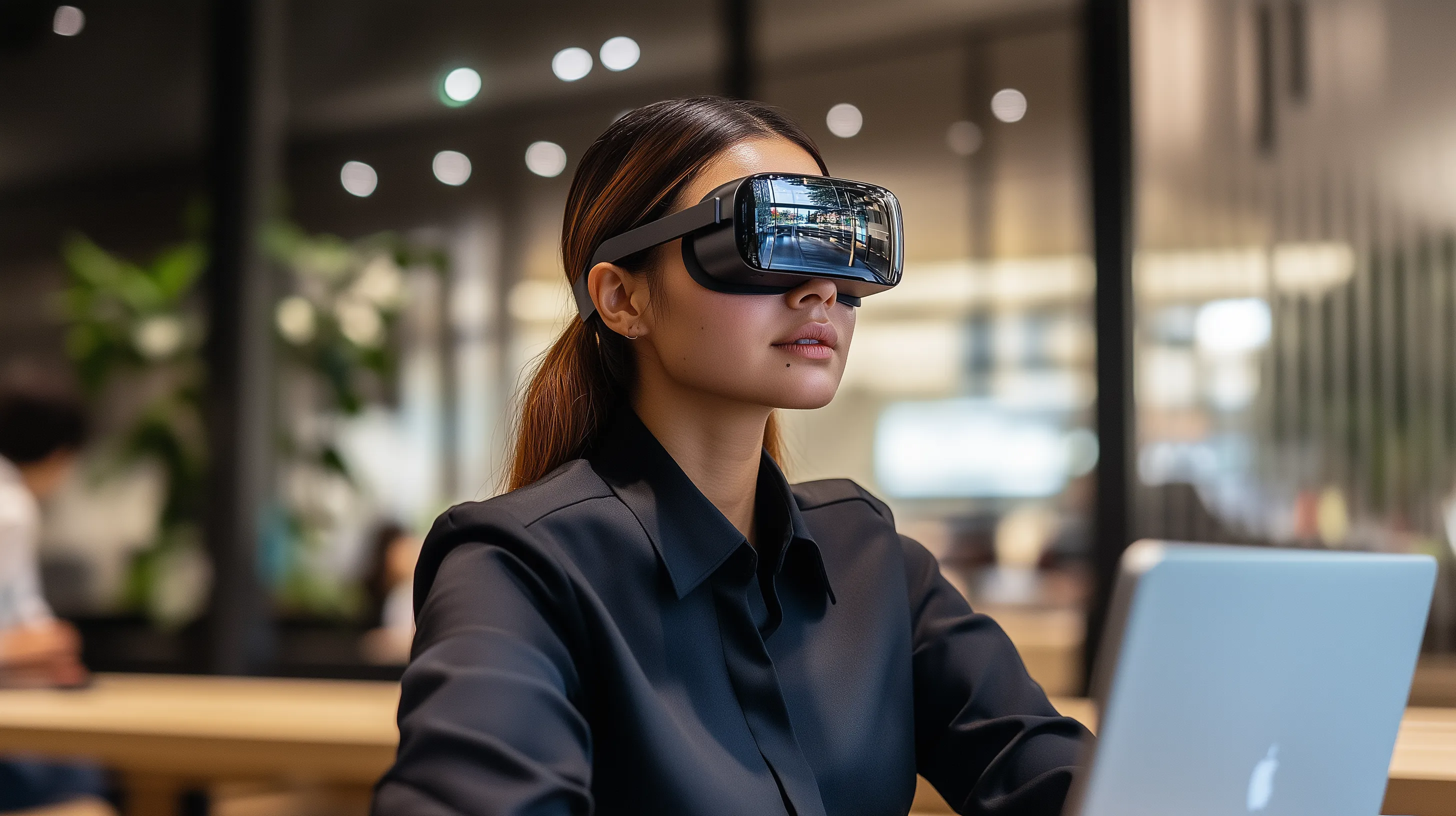
The pandemic has accelerated the digital transformation across almost every industry, and sales is no exception. Virtual meetings, online demos, and digital closings are now the norm. Customers expect to interact with your company digitally, which means you, as a sales person, need to be comfortable with digital tools and platforms.
What This Means for You: To keep pace with this development, you need to not only understand how to use digital tools effectively but also be comfortable driving the entire sales process online. Invest time in learning how to use platforms like Flowmeets, which can help you create personalized, interactive landing pages and efficiently manage digital meetings.
The future of sales is all about data. Today, it’s possible to collect, analyze, and use data to create more personalized and targeted sales strategies. By understanding your customers’ behaviors and preferences, you can tailor your approach to maximize your chances of success.
What This Means for You: Start using data as a core component of your sales strategy. Analyze customer data to identify trends and opportunities. With tools like Flowmeets, you can gather valuable information from your customers even before the first meeting, giving you a competitive edge when you make contact.
Today’s customers expect more than just a product or service—they expect an experience. A personalized and seamless customer experience can be the difference between a successful deal and a lost opportunity. Everything from the first contact to post-sales support contributes to how the customer perceives your company.
What This Means for You: Ensure that every interaction with the customer is thoughtful and value-driven. For example, with Flowmeets, you can create a personalized and professional experience even before the meeting by offering the customer an interactive landing page where they can share their needs and expectations.
Today’s customers are more aware than ever of the ethical and environmental implications of their purchasing decisions. Companies that can demonstrate a commitment to sustainability and social responsibility have a competitive advantage. This means that salespeople also need to be able to communicate how their products or services contribute to a more sustainable future.
What This Means for You: Be prepared to discuss sustainability and social responsibility as part of your sales process. Customers will expect you to show how your product or service supports their own sustainability goals.
Automation and AI have evolved rapidly, becoming essential components of the modern sales process. From streamlining repetitive tasks to leveraging AI for predicting customer behavior and fine-tuning sales strategies, these technologies empower sales teams to work smarter, focus on what matters most, and achieve better results with less effort.
What This Means for You: Use tools like Flowmeets to automate time-consuming tasks such as meeting scheduling and follow-ups. This frees up valuable time that you can invest in strategic work — building relationships, understanding client needs, and closing deals. At the same time, explore how AI can help you anticipate your customer’s next move and deliver the right solution at exactly the right moment.
The sales landscape is constantly evolving, and those who thrive are the ones who adapt quickly to emerging trends and technologies. By embracing digital sales, leveraging data-driven insights, enhancing the customer experience, prioritizing sustainability, and harnessing automation, you can do more than just keep up – you can lead. Start today by integrating these trends into your sales strategy, and watch them propel your performance to new heights.

A successful client meeting starts with thorough preparation. By gathering relevant information about the client’s needs, challenges, goals, and preferences, you demonstrate that you value their time and are committed to delivering the right solutions. This level of preparation also helps you appear professional and credible.
This is where Flowmeets comes in. Our tool is designed to streamline the collection of customer information before meetings. By creating a personalized landing page for each meeting, you can give the customer the opportunity to easily and interactively share relevant information in advance. This gives you a clear understanding of the customer’s needs before the meeting even begins.
Using a personalized landing page provides multiple benefits for both you and your client:
Gathering and using the right information is a fundamental part of a successful sales strategy. With the help of Flowmeets, you can be confident that you are well-prepared for every client meeting, which in turn increases your chances of closing deals and building strong, long-lasting client relationships. Start using Flowmeets today and discover the difference it can make to your sales results!

One of the biggest challenges for salespeople is determining which tasks to prioritize. The Eisenhower Matrix is a tool that helps you categorize your tasks based on their urgency and importance.
The matrix divides your tasks into four quadrants:
It’s easy to lose focus when you're constantly interrupted by emails, phone calls, and other distractions. The Pomodoro Technique is a time management method that helps you stay focused by working in short, intense bursts.
Here’s how it works:
Jumping between different types of tasks can be inefficient and mentally exhausting. By batching similar tasks together, you can reduce the time it takes to switch focus and increase your efficiency.
Examples of batching:
Setting clear goals for the day, week, and month is crucial for staying on track. But it’s also important to set time limits for your tasks to avoid them taking longer than necessary.
Here’s how to do it:
One of the most critical parts of the sales process is following up with potential clients after a meeting or presentation. But manually sending follow-up emails can be time-consuming and easy to forget. With Flowmeets, you can automate your follow-ups, ensuring no opportunities slip through the cracks.
With Flowmeets you can:
Time management is a skill that requires practice and awareness. By implementing these techniques and leveraging Flowmeets’ features, you can take control of your workday, reduce stress, and increase your productivity as a sales professional. Remember, it’s not just about working harder—it’s about working smarter.
Think of automated reminders as your personal calendar ninja. Silent, swift, and without any fuss, they slip into your client’s inbox, tap them gently on the shoulder, and whisper: “You have an important meeting soon.” It’s a friendly nudge, nothing intrusive, just a little push to keep everything on track.
But how does it work? With Flowmeets, you can easily set up reminders that are automatically sent out before the meeting – a day before, an hour before, or even 5 minutes before, for that last-minute “oh right, I have a meeting!” reminder. You can choose whether to send them via email or text message.
Flowmeets keeps an eye on the meeting status and also sends reminders if someone has missed accepting the invitation. Experiment with different settings to find what works best for your meetings and clients.
Most calendar apps – from Google Calendar to Outlook – have reminder functions. But if you really want to ensure that your meetings happen, you need something more robust, reliable, and personal than the standard “ping” your calendar sends out.
Next-Level Personalization
Calendar reminders are like the standard office coffee – sure, it gets the job done, but it’s not exactly exciting. With Flowmeets, you have the ability to customize reminders completely. You can tailor the message to suit each client and each meeting, making the reminder feel more like a personal note than a generic ping. Add a friendly message, remind them of key points before the meeting, or even include a customized agenda – all directly within the reminder.
Flexibility and Timing
With standard calendar reminders, you often get just a few preset options for when the reminder will be sent. Flowmeets allows you to choose exactly when and how many times a reminder should be sent, ensuring it always reaches the client at the right time. Do they need a reminder the day before and another just before the meeting? No problem – you have full control.
Implementing automated reminders into your sales process is simple – schedule a quick meeting with us below, and we’ll help you sync Flowmeets with your email in just a few minutes!

